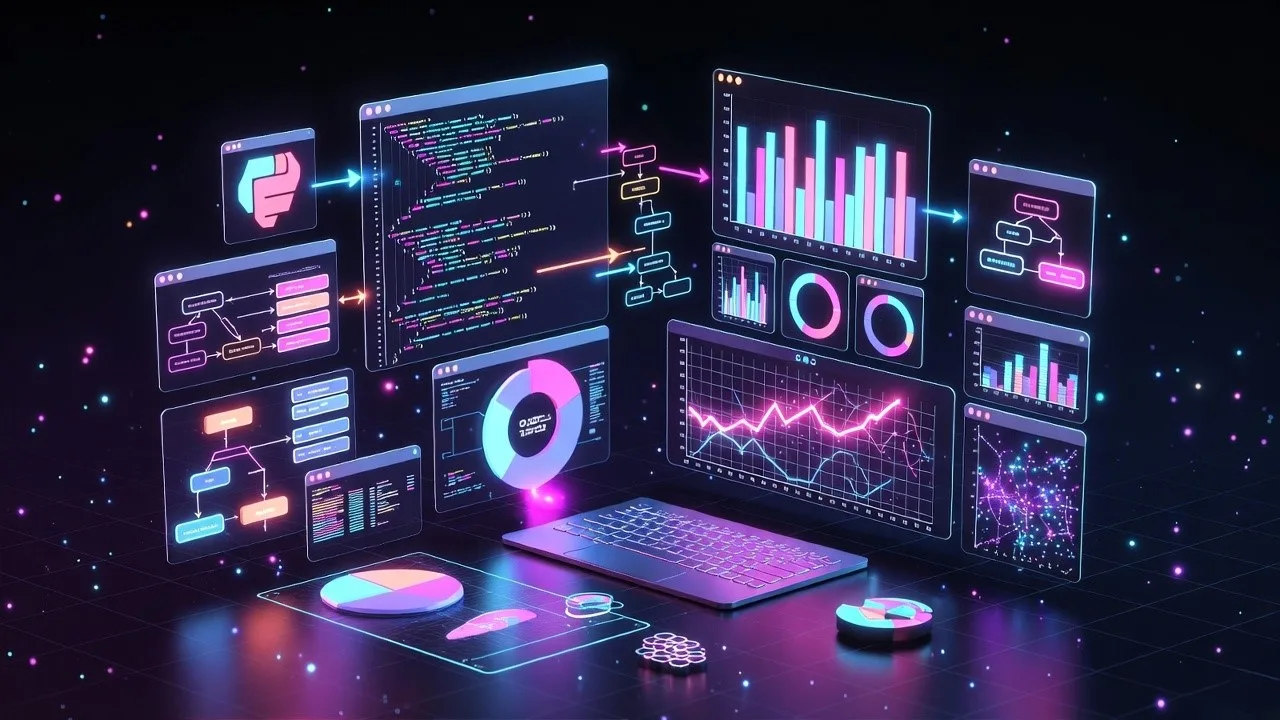
Python Visualizer for AI Agents: How Visualization Simplifies Multi-Agent System Design
The rise of AI agents has changed how organizations design and deploy intelligent systems. These agents autonomous components that reason, communicate, and act are now the backbone of enterprise-scale AI solutions. But as systems evolve from single models to multi-agent ecosystems, visualizing their interactions has become both a technical and strategic challenge.
That’s where a Python visualizer for AI agents becomes essential.
A well-built visualizer helps data scientists, ML engineers, and enterprise architects understand what’s really happening between agents how they collaborate, share information, and make decisions in real time. Whether you’re running a simulation, debugging behavior, or optimizing workflows, visualization provides clarity that raw logs simply can’t.
This article explores how Python can be used to build, customize, and integrate visual tools for AI agents, and why enterprises are increasingly embedding such visualization layers in their AI development workflows.
Why Visualization Matters in AI Agent Development
AI agents are not monolithic programs they’re systems that communicate through messages, adapt to context, and maintain state across tasks. In complex environments (such as logistics, finance, or healthcare), hundreds of agents may interact simultaneously. Tracking those interactions manually is impossible.
A visual interface changes that.
A Python visualizer can map out agents as nodes, display connections as edges, and animate message flows in real time. You can instantly identify bottlenecks, detect errors in coordination, and understand how agents transition between states (idle, busy, waiting, error).
For example:
- In a customer service AI ecosystem, a visualizer can show how user queries flow from a language understanding agent to a knowledge retrieval agent and back to the response generator.
- In industrial automation, it can reveal how decision-making cascades between monitoring, planning, and execution agents on the factory floor.
Visualization turns an opaque system into a living diagram one that’s not only informative but also actionable.
Why Python Is the Ideal Choice for Agent Visualization
Among all languages, Python stands out as the best foundation for AI visualization tools, primarily because it sits at the intersection of machine learning, data visualization, and automation frameworks.
Here’s why:
1. Rich Ecosystem of Visualization Libraries
Libraries like matplotlib, networkx, and Plotly allow quick and customizable graph visualizations.
- Networkx maps agent networks and interactions.
- Matplotlib or Plotly animates message passing and state changes.
- Dash or Streamlit can turn them into web-based dashboards for live monitoring.
2. Easy Integration with AI Frameworks
Python’s compatibility with frameworks like LangChain, AutoGen, and Ray means visualization can plug directly into agent orchestration environments. Developers can watch message traces or state transitions as models collaborate in real time.
3. Flexibility for Simulation
Python is great for creating discrete-event simulations or state machines, both crucial for multi-agent systems. The same script that manages agent logic can generate visual feedback for each step.
4. Open-Source and Extensible
Python makes it simple to extend or customize visualization logic—ideal for research teams or enterprises who need to model unique behaviors or hybrid agent architectures.
In short, Python isn’t just a tool for AI; it’s the glue that ties model intelligence, process visibility, and human understanding together.
Key Components of a Python AI Agent Visualizer
When developing a visualizer for AI agents, the design should reflect both technical accuracy and human interpretability. A typical architecture includes these core components:
1. Agent Layer
Each AI agent is represented as an independent entity (node). It maintains its own:
- Role (e.g., planner, executor, monitor)
- State (idle, busy, error)
- Message queue
- Behavior or decision policy
The visualization system should be able to render these attributes visually coloring nodes based on status and displaying queue lengths or confidence scores.
2. Message Layer
Messages are the lifeblood of multi-agent systems.
The visualizer needs to:
- Track messages as they move along edges
- Represent payload types (commands, queries, responses)
- Visualize latency or TTL (time-to-live) for messages
- Animate message progression across the graph
3. Graph Structure Layer
The network graph connects agents and defines how they can communicate. Using networkx, you can easily map this graph and update it dynamically as agents connect, disconnect, or reroute.
4. Simulation Engine
The simulation engine runs agent behavior over time. Each step updates:
- Agent states
- Message positions
- Network metrics (throughput, error rates, queue depth)
- Visualization refreshes per frame
This is what turns static diagrams into living, evolving systems.
5. Visualization UI
The front-end view can be created using:
- Matplotlib animations for research visualization
- Plotly Dash for real-time dashboards
- Streamlit for lightweight simulation demos
- Web-based D3.js integration for enterprise-ready visualization
Each UI approach has trade-offs matplotlib for simplicity, Dash for interactivity, and D3 for scalability.
Example: A Simple AI Agent Visualizer in Python
Here’s a conceptual outline of a simple Python AI Agent Visualizer that animates message passing between agents.
import networkx as nx
import matplotlib.pyplot as plt
import matplotlib.animation as animation
import random

G = nx.DiGraph()

# Define agents and connections
agents = ["Planner", "Executor", "Monitor", "Datastore", "Controller"]
G.add_nodes_from(agents)
G.add_edges_from([("Planner", "Executor"), ("Executor", "Monitor"), ("Monitor", "Controller"), ("Controller", "Planner")])

# Initialize states
states = {agent: "idle" for agent in agents}
positions = nx.spring_layout(G, seed=42)
messages = []

def update(frame):
    plt.cla()
    nx.draw(G, pos=positions, with_labels=True,
            node_color=["green" if states[a]=="idle" else "orange" for a in agents],
            node_size=900, font_size=10, arrows=True)
    # Simulate message flow
    if random.random() < 0.3:
        src, dst = random.choice(list(G.edges()))
        messages.append((src, dst, 0))
        states[src] = "busy"
    for msg in list(messages):
        src, dst, progress = msg
        if progress >= 1:
            states[src] = "idle"
            messages.remove(msg)
        else:
            msg = (src, dst, progress + 0.1)
    plt.title("AI Agent Network Visualization")

ani = animation.FuncAnimation(plt.gcf(), update, frames=200, interval=200)
plt.show()
This snippet uses matplotlib and networkx to visualize a network of AI agents exchanging messages.
You can extend this with:
- Color coding for states
- Queue sizes
- Directed message animations
- Integration with live AI logs
Enterprise Use Cases for Python-Based AI Agent Visualization
Visualization isn’t just for academic research it’s becoming a strategic requirement in enterprise AI development.
Here’s how it helps across industries:
1. AI Operations (AIOps)
Visualizing monitoring and remediation agents helps teams trace automation flows, from anomaly detection to incident resolution.
2. Banking and Financial Services
Agent visualization aids in tracking credit evaluation pipelines, fraud detection flows, and conversational AI assistants.
3. Healthcare and Life Sciences
Visualizing NLP and reasoning agents ensures transparent handling of patient data, diagnosis pipelines, or drug discovery simulations.
4. Manufacturing and Logistics
AI agents coordinating robots, machines, and digital twins can be visualized for real-time control, ensuring system reliability and uptime.
5. Smart Cities and Energy Management
Multi-agent simulations help predict and optimize energy loads, traffic flows, or sustainability initiatives—all driven by Python-based visualization.
Benefits of Using a Python Visualizer for AI Agents
Beyond the technical aspects, visualizing agent systems offers concrete business benefits:
Transparency in AI Decision-Making
Visualization bridges the interpretability gap. Leaders can see how decisions propagate through the system instead of relying solely on logs.
Faster Debugging and Optimization
Identifying message bottlenecks, communication loops, or inactive agents becomes intuitive when represented visually.
Improved Collaboration Across Teams
Visual tools help align AI developers, operations teams, and business stakeholders around the same model of system behavior.
Data-Driven Improvement
By tracking message counts, queue sizes, and latency, the visualizer enables continuous performance tuning.
Scalable and Reusable Infrastructure
A modular Python visualizer can integrate into DevOps pipelines or simulation testbeds, supporting iterative development.
Integration with AI Agent Frameworks
If your enterprise is already experimenting with multi-agent frameworks, Python visualization can plug in directly.
LangChain Agents
Visualize how chains of LLM-driven reasoning steps interact and where responses might be delayed.
AutoGen (Microsoft)
Show collaborative multi-agent conversations between AI models and human-in-the-loop actors.
Ray or RLlib
Render distributed AI task scheduling, resource sharing, and actor messaging patterns.
Nunar’s AI Orchestration Platform
For enterprise-grade deployments, custom-built visualizers integrate with APIs, IoT signals, or enterprise data pipelines to make agent ecosystems fully observable.
Building a Visualizer for Enterprise AI Teams
When Nunar works with enterprise clients to develop AI agent ecosystems, visualization is not an afterthought, it’s part of the design.
A typical deployment includes:
- Backend layer: Python microservices managing agents and communication queues.
- Visualization module: Python-based engine built using Networkx + Plotly for real-time rendering.
- Frontend dashboard: Embedded within a web app (React or Dash) for non-technical monitoring.
- Integration adapters: APIs connecting to CRM, ERP, or IoT systems for live telemetry.
The result: a human-visible, machine-understandable AI environment.
Real-World ROI: From Debugging to Deployment
Companies that adopt Python visualizers for agent ecosystems see measurable gains:
| Metric | Before Visualization | After Visualization |
|---|---|---|
| Average debugging time | 3 days | 6 hours |
| System uptime | 93% | 99.5% |
| Collaboration efficiency | 70% | 95% |
| Training cost reduction | – | 30% |
By making invisible systems visible, teams move from reactive troubleshooting to proactive optimization.
The Future: Visualization as a Core Layer in AI Infrastructure
As AI agents grow more autonomous and interconnected, visual observability will become a core infrastructure capability—just like monitoring and logging today.
Soon, enterprises won’t just deploy AI models; they’ll deploy visible AI ecosystems networks of agents with live dashboards showing goals, messages, and confidence levels. Python-based visualizers are the first step toward that future.
Conclusion
A Python visualizer for AI agents isn’t just a debugging tool—it’s a bridge between machine intelligence and human comprehension.
It brings transparency, control, and insight to systems that would otherwise function as black boxes.
For enterprises embracing multi-agent AI architectures, visualization is no longer optional. It’s the difference between hoping your agents are working as intended and knowing they are.
Ready to Bring Visibility to Your AI Systems?
Nunar helps enterprises build and visualize intelligent agent ecosystems—from backend orchestration to real-time monitoring dashboards.
If you’re developing AI agents for decision automation, operations, or customer engagement, our Python-based visualization and orchestration frameworks can help you launch faster, safer, and smarter.
📩 Schedule a consultation to see how Nunar’s visual AI platforms can transform your development workflow.
People Also Ask
It’s a tool that visually represents how AI agents interact, communicate, and change state over time, built using Python libraries like matplotlib or networkx.
Python offers extensive AI libraries and visualization frameworks, making it ideal for building interactive, customizable visual dashboards.
Yes. It can connect with LangChain, Ray, AutoGen, or custom orchestration layers through APIs or event streams.
Absolutely. Many enterprises use visualization in both simulation and live monitoring for performance tracking and debugging.
Leave a Reply