Author: hmsadmin

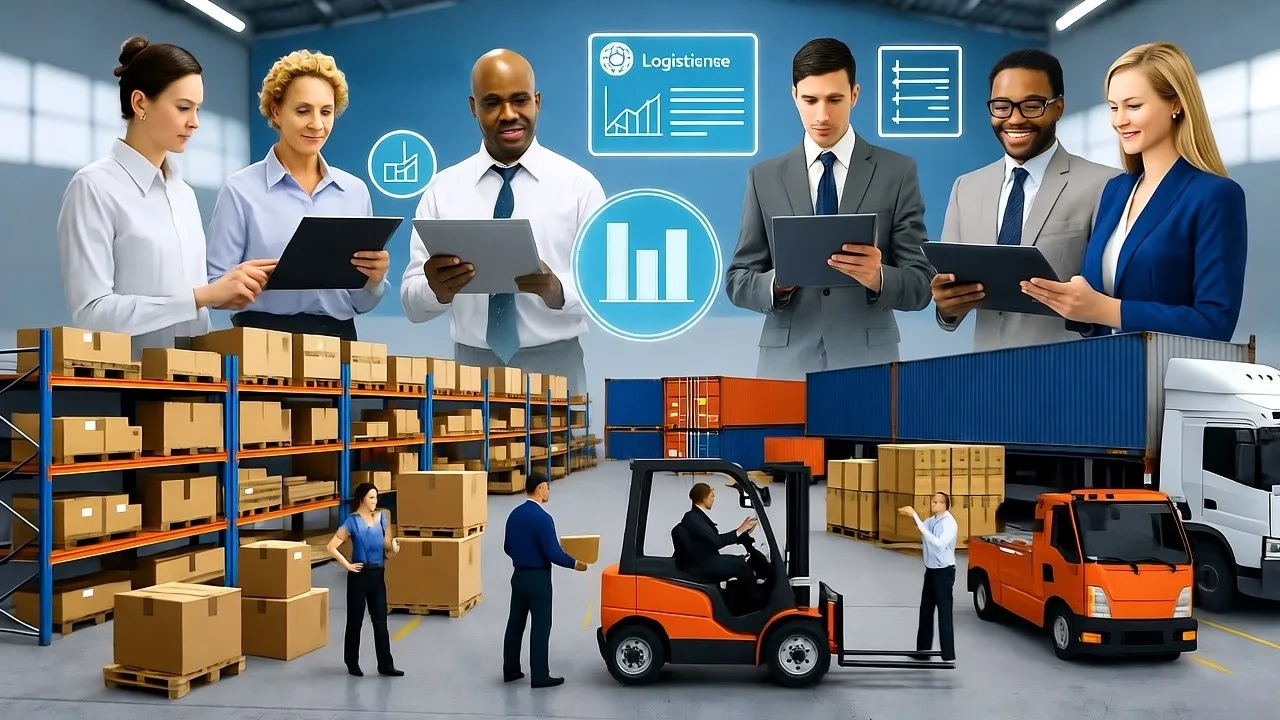
  • Logistical Staffing Solutions​

    Logistical Staffing Solutions​

    logistical staffing solutions

    In the first quarter of 2024, a major U.S. logistics provider faced a critical 30% dispatcher turnover rate that was crippling their operations. After implementing specialized AI agents to handle routine load assignments, customer inquiries, and on boarding processes, they reduced turnover by 52% within six months while improving delivery accuracy. This isn’t an isolated case, it’s part of a fundamental transformation sweeping through American logistics.

    At Nunar, we’ve developed and deployed over 500 specialized AI agents into production environments across the United States logistics sector. We’ve witnessed firsthand how the convergence of staffing crises and artificial intelligence is reshaping how goods move through supply chains. The U.S. logistics market, projected to reach USD 1,997.6 billion in 2025 and grow to USD 3,814.7 billion by 2033, faces unprecedented staffing challenges that threaten this growth . Simultaneously, the logistics outsourcing market is expected to grow at a CAGR of 4.8% from 2025 to 2035 as companies seek specialized expertise .

    This perfect storm of staffing shortages and technological innovation has created an urgent need for intelligent solutions that go beyond traditional hiring approaches. In this comprehensive guide, we’ll explore how AI-driven staffing solutions are addressing critical pain points in U.S. logistics operations, transforming everything from recruitment to retention, and delivering measurable ROI in an industry where efficiency margins are increasingly tight.

    AI-powered logistical staffing solutions directly address chronic workforce shortages by automating recruitment, enhancing retention, and providing 24/7 operational support for U.S. supply chains.

    The U.S. Logistics Staffing Crisis: By the Numbers

    The American logistics industry faces a multidimensional staffing challenge that extends far beyond truck driver shortages. Understanding the scope and impact of this crisis is essential to appreciating the value of AI-powered solutions.

    Quantifying the Staffing Shortfall

    • Industry Financial Impact: The U.S. staffing and recruiting industry itself reached a market size of $56 billion in 2023, reflecting the massive investment companies are making just to find and retain talent . This represents significant cost pressure on logistics operations already facing thin margins.
    • Operational Inefficiencies: The staffing crisis manifests in daily operational challenges including unanswered customer calls during peak hours, dispatch knowledge gaps from high turnover, and back-office bottlenecks from manual processes . These inefficiencies directly impact customer satisfaction and bottom-line performance.
    • E-commerce Acceleration Pressure: With e-commerce accounting for 16.2% of total U.S. retail sales in Q3 2024 and growing at 7.4% year-over-year, the pressure on logistics staffing has intensified . The demand for same-day and next-day delivery capabilities requires staffing solutions that can scale rapidly with fluctuating order volumes.

    The True Cost of Staff Turnover

    Beyond recruitment expenses, logistics companies face substantial hidden costs from staff turnover:

    • Training Inefficiency: Each new dispatcher requires approximately 3-6 months to reach full productivity, during which time routing inefficiencies can increase fuel and overtime costs by 15-20%.
    • Knowledge Loss: When experienced logistics coordinators depart, they take with them invaluable institutional knowledge about carrier relationships, customer preferences, and exception management protocols.
    • Customer Impact: One major logistics company reported a 22% increase in customer complaints following rapid turnover in their customer service team, directly impacting account retention.

    Table: The Ripple Effects of Logistics Staffing Shortages

    DepartmentDirect ImpactDownstream Consequences
    Dispatcher TeamsHigh turnover creating knowledge gapsInconsistent service, routing inefficiencies, driver frustration
    Customer ServiceUnanswered calls during peak hoursLost revenue, frustrated clients, damage to carrier reputation
    Back-Office OperationsManual processes leading to errorsBilling delays, compliance issues, accounting bottlenecks
    Warehouse OperationsLabor shortages in key regionsSlower fulfillment, inventory inaccuracies, overtime costs

    Understanding Traditional Staffing Solutions

    Before examining AI-powered approaches, it’s important to understand the traditional staffing solutions that U.S. logistics companies have relied upon and their limitations in today’s environment.

    Outsourcing to Staffing Agencies

    Many logistics firms have turned to specialized staffing agencies to fill critical roles. The U.S. staffing industry has grown significantly to address these needs, with particular focus on:

    • Temporary Staffing: Providing short-term coverage for peak seasons, special projects, or to fill gaps while searching for permanent employees.
    • Specialized Recruiting: Leveraging industry-specific recruiters who understand the unique requirements of logistics roles, from warehouse managers to transportation analysts.
    • Geographic Flexibility: Enabling companies to tap into talent pools beyond their immediate geographic area, particularly important for logistics operations in competitive job markets.

    Business Process Outsourcing (BPO)

    The Philippines has emerged as a particularly popular BPO destination for U.S. logistics companies, offering:

    • 24/7 Coverage: Time zone advantages that enable around-the-clock customer service and dispatch support .
    • Cost Efficiency: Reduced labor costs while maintaining service quality, with estimates suggesting 30-50% savings compared to domestic staffing.
    • Specialized Training: BPO providers who develop logistics-specific expertise in areas like freight documentation, shipment tracking, and carrier communication.

    The Limitations of Conventional Approaches

    While these traditional solutions provide temporary relief, they suffer from significant limitations:

    • Knowledge Retention Challenges: Outsourced teams often experience their own turnover issues, creating recurring training burdens and consistency problems.
    • Integration Barriers: Physically and operationally separated teams struggle with real-time coordination, leading to communication gaps during exception management.
    • Scalability Constraints: Traditional staffing models cannot rapidly scale up or down in response to sudden volume fluctuations common in logistics.
    • Data Silos: Critical operational knowledge becomes fragmented across multiple organizations, hindering optimization and continuous improvement.

    The AI Revolution in Logistical Staffing

    Artificial intelligence is transforming logistical staffing from a reactive cost center to a strategic advantage. Unlike traditional approaches that simply provide more warm bodies, AI addresses the root causes of staffing inefficiencies.

    How AI Agents Redefine Staffing Solutions

    At Nunar, we’ve deployed AI agents across five key logistical functions where staffing challenges are most acute:

    1. Intelligent Dispatch Assistants: These agents handle routine load assignments, carrier communications, and exception management, freeing human dispatchers to focus on complex problem-solving and relationship management.
    2. Customer Service Co-pilots: AI agents provide 24/7 customer support for routine inquiries like shipment tracking, documentation requests, and appointment scheduling, with seamless escalation to human specialists for complex issues.
    3. Recruitment Accelerators: Our AI systems automate candidate sourcing, screening, and initial interviews, reducing time-to-hire for critical logistics roles from weeks to days.
    4. Onboarding Guides: Personalized AI assistants that accelerate new employee ramp-up by providing just-in-time training, process documentation, and performance support.
    5. Back-Office Automators: AI agents that handle repetitive administrative tasks like data entry, invoice processing, and compliance documentation with greater accuracy and speed.

    Tangible Benefits Beyond Labor Replacement

    The value proposition of AI staffing solutions extends far beyond direct labor substitution:

    • Enhanced Human Effectiveness: Rather than replacing staff, AI augments human capabilities. At one 3PL provider, dispatchers supported by AI agents managed 40% more loads with reduced stress and higher job satisfaction.
    • Predictive Capacity Planning: AI systems analyze historical data, market trends, and seasonal patterns to predict staffing needs weeks in advance, enabling proactive rather than reactive hiring.
    • Continuous Process Improvement: Unlike human staff who may adhere to established routines, AI systems continuously identify optimization opportunities in routing, load consolidation, and resource allocation.
    • Quality Consistency: AI delivery ensures consistent service quality regardless of time of day, workload pressures, or individual experience levels.

    Table: Comparative Analysis of Staffing Solutions for U.S. Logistics

    Solution TypeImplementation TimelineCost StructureScalabilityKey Limitations
    Traditional Hiring4-12 weeksHigh fixed costs (salaries, benefits)LowLengthy recruitment, training burden, geographic constraints
    Staffing Agencies2-4 weeksVariable (markup on wages)MediumKnowledge retention issues, cultural integration challenges
    BPO Offshore8-16 weeksMedium (management overhead)Medium-HighTime zone coordination, data security concerns, quality control
    AI Staffing Agents2-6 weeksPredictable subscriptionInstant scalabilityInitial integration complexity, change management requirements

    Implementing AI Staffing Solutions: A Framework for Success

    Based on our experience deploying over 500 AI agents in production environments, we’ve developed a structured approach to implementation that maximizes success and minimizes disruption.

    Phase 1: Assessment and Prioritization

    The most successful implementations begin with a thorough assessment of staffing pain points and their operational impact:

    • Process Mining: Document current workflows to identify bottlenecks, variations, and exception handling patterns. We typically discover that 20-30% of processes are strong candidates for initial AI automation.
    • Impact Analysis: Quantify the operational and financial impact of specific staffing challenges. For example, one client discovered that dispatcher turnover was costing them $18,000 per occurrence in recruitment and training costs alone.
    • Stakeholder Mapping: Identify all affected parties from frontline staff to senior leadership, understanding their specific concerns and success criteria.

    Phase 2: Targeted Solution Design

    AI staffing solutions should be designed to address specific operational challenges while integrating seamlessly with existing teams:

    • Hybrid Workflow Design: Create processes that leverage the strengths of both AI and human intelligence. For instance, AI agents handle initial customer inquiries and document collection, then escalate complex issues to human specialists with full context.
    • Change Management Planning: Develop comprehensive communication and training plans that address workforce concerns about automation while highlighting how AI will make jobs more rewarding rather than redundant.
    • Performance Metrics: Establish clear KPIs that measure both efficiency gains (cost per shipment, order cycle time) and quality improvements (accuracy rates, customer satisfaction).

    Phase 3: Phased Implementation and Optimization

    A phased implementation approach reduces risk and demonstrates early value:

    • Pilot Deployment: Start with a contained pilot addressing one specific pain point, such as automated tracking updates or invoice processing. Successful pilots build organizational confidence and generate valuable implementation insights.
    • Iterative Expansion: Gradually expand AI capabilities based on pilot results, organizational feedback, and evolving business needs.
    • Continuous Learning: Implement feedback loops that enable AI systems to learn from human corrections and exceptions, continuously improving performance over time.

    Real-World Applications and Case Studies

    The theoretical benefits of AI staffing solutions become compelling when examined through actual implementation results:

    Case Study: Midwestern 3PL Provider

    A regional third-party logistics provider with 250 employees was struggling with 45% annual turnover among customer service staff, leading to inconsistent customer experiences and account retention challenges.

    Solution: We implemented a team of AI customer service agents to handle routine tracking inquiries, documentation requests, and appointment scheduling. The AI agents integrated with their TMS and provided human agents with complete conversation history and context for escalations.

    Results:

    • Customer service turnover reduced to 21% within eight months
    • After-hours customer inquiry resolution time improved from 3.2 hours to 8 minutes
    • Human customer service agents could focus on high-value relationship management, leading to a 16% improvement in customer satisfaction scores

    Case Study: National Fleet Operator

    A trucking company with 400 power units faced chronic dispatcher burnout and turnover, with the average dispatcher lasting just 14 months in the role.

    Solution: We deployed AI dispatch assistants that handled routine carrier communications, load tracking, and exception alerts. The system prioritized loads requiring human intervention based on complexity, relationship sensitivity, and exception severity.

    Results:

    • Dispatcher workload reduced by 35% during peak periods
    • Turnover decreased from 45% to 28% in the first year
    • Load acceptance rates improved by 12% through faster response times
    • Drivers reported higher satisfaction due to more consistent communication

    Overcoming Implementation Challenges

    While AI staffing solutions offer significant benefits, successful implementation requires addressing several common challenges:

    Integration with Legacy Systems

    Many logistics companies operate with a patchwork of legacy systems that weren’t designed for AI integration.

    Effective approaches include:

    • API-Layer Solutions: Creating integration layers that enable AI systems to communicate with legacy systems without requiring expensive replacements.
    • Phased Modernization: Using AI implementation as an opportunity to gradually modernize technology stacks, starting with the most critical interfaces.

    Change Management and Workforce Acceptance

    Employees naturally fear that automation may threaten their job security. Successful implementations address these concerns through:

    • Transparent Communication: Clearly articulating how AI will augment rather than replace human capabilities, focusing on eliminating tedious tasks rather than eliminating positions.
    • Upskilling Programs: Providing training that enables employees to work effectively with AI systems and take on more rewarding responsibilities.
    • Inclusive Design: Involving front line staff in the design and testing of AI solutions, incorporating their feedback and building ownership.

    Data Quality and Availability

    AI systems depend on quality data, which can be fragmented across logistics organizations. Effective strategies include:

    • Data Governance Frameworks: Establishing clear standards for data collection, validation, and maintenance.
    • Incremental Improvement: Beginning with the most reliable data sources and gradually expanding as data quality improves.

    The Future of AI in Logistical Staffing

    The evolution of AI staffing solutions is accelerating, with several emerging trends that will further transform logistics operations:

    Predictive Workforce Optimization

    Next-generation AI systems will move beyond reactive staffing to predictive workforce optimization, forecasting staffing needs based on:

    • Market Intelligence: Analysis of economic indicators, freight volumes, and capacity trends.
    • Seasonal Patterns: Historical data on volume fluctuations by season, region, and freight type.
    • Event Correlation: Identification of how external events (weather, port disruptions, economic announcements) impact staffing requirements.

    Hyper-Automation of Complex Processes

    While current AI solutions target discrete processes, future systems will manage increasingly complex end-to-end workflows with minimal human intervention, including:

    • Dynamic Pricing and Capacity Matching: Real-time alignment of freight requirements with available capacity at optimal pricing.
    • Multi-Modal Optimization: Intelligent selection and coordination across transportation modes based on cost, service level, and sustainability requirements.
    • Autonomous Exception Management: Self-correcting supply chains that automatically reroute shipments, adjust inventories, and reallocate resources in response to disruptions.

    Human-AI Collaboration Platforms

    The future of logistical staffing isn’t about replacing humans with AI, but creating seamless collaboration platforms that leverage the strengths of both, including:

    • Augmented Decision Support: AI systems that provide human managers with predictive insights and recommended actions based on comprehensive data analysis.
    • Skill-Based Routing: Intelligent routing of tasks and decisions to the most appropriate resource, human or AI based on complexity, relationship sensitivity, and strategic importance.
    • Continuous Learning Ecosystems: Systems where human expertise and AI capabilities continuously enhance each other through feedback loops and shared experience.

    People Also Ask

    What are the biggest staffing challenges in the U.S. logistics industry?

    The most significant challenges include driver and dispatcher shortageshigh turnover rates in critical roles, rising customer expectations for 24/7 support, and back-office inefficiencies from manual processes that compound operational bottlenecks

    How can AI staffing solutions reduce costs for logistics companies?

    AI agents reduce labor costs for routine tasks, decrease expenses associated with employee turnover, lower training costs through intuitive interfaces, and minimize costly errors through automated quality controls, typically delivering ROI within 6-12 months.

    What logistics functions are most suitable for AI staffing solutions?

    The most immediately suitable functions include routine customer inquiriesshipment tracking updatesdispatcher supportrecruitment screeningdocument processing, and compliance reporting tasks with clear patterns and structured information requirements.

    How do AI solutions integrate with existing logistics teams?

    Effective integration creates hybrid workflows where AI handles high-volume repetitive tasks while humans focus on complex problem-solving, relationship management, and exception handling, with seamless context passing between systems.

    What is the implementation timeline for AI staffing solutions?

    Most organizations can deploy initial AI agents within 2-6 weeks for specific functions, with organization-wide transformation typically occurring over 6-18 months through phased implementation of increasingly sophisticated capabilities.
  • Flutter vs React Native

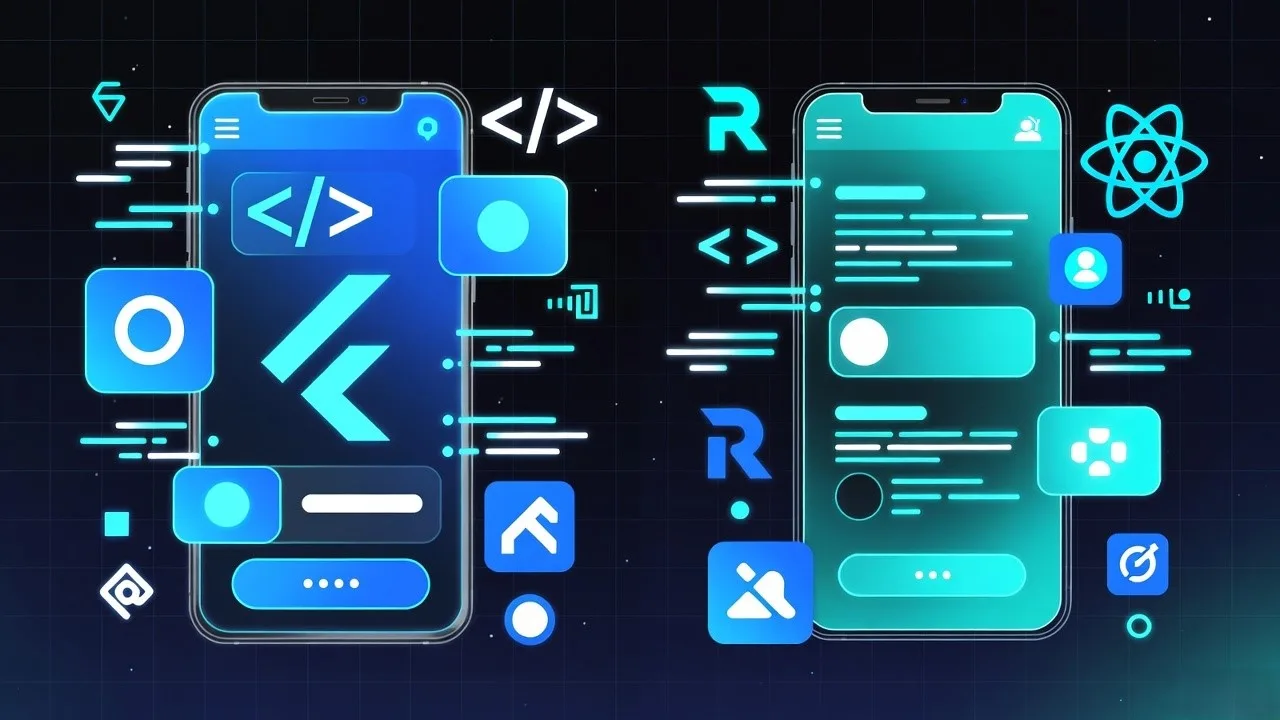
    Flutter vs React Native

    Flutter vs React Native: Which Is Better for Your Next Mobile App in 2025?

    When it comes to mobile app development, two frameworks dominate the conversation, Flutter and React Native. Both promise fast development, cross-platform compatibility, and near-native performance. But if you’re a business leader or startup founder in the United States trying to choose between them, understanding their real differences can save you time, money, and long-term headaches.

    Let’s break it down clearly, without the jargon.

    What Is Flutter?

    Flutter is Google’s open-source framework for building mobile, web, and desktop applications from a single codebase. It uses the Dart programming language, known for its speed and clean syntax.

    Flutter’s key strength lies in its UI consistency. It renders every component, buttons, text, animations—using its own high-performance engine, which means your app will look and behave the same across iOS and Android.

    Used by: Google, BMW, eBay Motors, and Alibaba.

    What Is React Native?

    React Native, created by Meta (Facebook), is a popular framework that allows developers to use JavaScript and React to build mobile applications. Unlike Flutter, React Native bridges JavaScript code with native modules, meaning parts of your app use actual native components.

    This often results in apps that “feel” more native on each platform but can sometimes lead to inconsistencies if not carefully optimized.

    Used by: Instagram, Tesla, Walmart, and Pinterest.

    Key Differences Between Flutter and React Native

    FeatureFlutterReact Native
    OwnerGoogleMeta (Facebook)
    Programming LanguageDartJavaScript
    PerformanceFaster (compiled to native ARM code)Slightly slower (uses a JavaScript bridge)
    UI ConsistencySame look across iOS and AndroidAdapts to platform-specific UI
    Community SupportRapidly growing but smallerLarge and mature developer community
    Learning CurveModerate (requires Dart learning)Easier (uses familiar JavaScript/React)
    Third-Party PluginsGrowing ecosystemExtensive plugin availability
    Hot ReloadYesYes
    Best ForHigh-performance, visually rich appsProjects requiring native-like UX or existing JS stack integration

    Performance and User Experience

    Flutter apps generally offer smoother animations and faster rendering because of their direct compilation to native code. The absence of a JavaScript bridge eliminates potential bottlenecks.

    React Native, while still fast, depends on an additional bridge to communicate with native APIs. This can introduce slight lags in complex animations or heavy computations.

    For apps where performance and design precision are critical (like gaming or AR applications), Flutter often has the edge. For apps where integration and flexibility matter more (like social or eCommerce apps), React Native remains a solid choice.

    Development Speed and Ecosystem

    If your team already works with JavaScript or React, React Native feels instantly familiar. It integrates well with existing web projects, speeding up development for companies with established front-end teams.

    Flutter, on the other hand, offers a more controlled environment. Its rich widget library and Google-backed ecosystem allow developers to create consistent UIs faster, especially for startups starting from scratch.

    Community and Support

    React Native has been around longer, so it benefits from a larger developer community, third-party libraries, and ready-made components. You’ll find countless tutorials and GitHub projects that make troubleshooting easier.

    Flutter’s community is newer but growing fast. Google’s consistent updates and its use in several flagship applications show strong long-term support.

    Integration and Tooling

    React Native offers smoother integration with existing native apps, making it ideal for hybrid environments. It also works seamlessly with development tools like Visual Studio Code and Expo.

    Flutter, powered by Google’s robust Dart DevTools, offers an excellent debugging and profiling experience. The Flutter Inspector helps developers fine-tune UI layouts in real time—a big advantage for visually detailed apps.

    Cost Considerations

    Both frameworks reduce overall development costs since you only need one codebase for multiple platforms.

    However, consider these points:

    • Flutter may require hiring Dart developers (a smaller pool).
    • React Native developers are more common, which can make hiring easier in the U.S. market.
    • Maintenance and updates for Flutter apps are often simpler since they don’t depend on native components that break after OS updates.

    Which Framework Should You Choose in 2025?

    It depends on your priorities:

    • Choose Flutter if:
      • You want visually rich, smooth, high-performance apps.
      • You’re building a product from the ground up.
      • You prefer Google’s ecosystem and stable performance.
    • Choose React Native if:
      • Your team already knows JavaScript/React.
      • You want platform-specific look and feel.
      • You plan frequent updates or rapid prototyping.

    Real-World Example

    A U.S. retail startup building an AI-powered customer loyalty app might choose Flutter for its fast UI rendering and smooth cross-platform experience.

    Meanwhile, an established eCommerce platform with a large web team might choose React Native to reuse existing JavaScript expertise and maintain design consistency with its web app.

    Conclusion

    Both Flutter and React Native are excellent choices for cross-platform app development. Flutter leads in performance and visual fidelity, while React Native wins in ecosystem maturity and developer availability.

    For businesses in the U.S., the decision should depend on your team’s technical background, project complexity, and long-term scalability goals.

    If you’re evaluating frameworks for your next mobile app, consider running a quick proof of concept with both, sometimes, the best choice comes from testing what fits your product vision.

    People Also Ask

    Which is faster: Flutter or React Native?

    Flutter is generally faster because it compiles directly to native code, avoiding the JavaScript bridge used in React Native.

    Is Flutter better for startups?

    Yes. Flutter’s single codebase and visually consistent UI make it ideal for startups building apps quickly without sacrificing design quality.

    Does React Native support web and desktop apps?

    Yes, through React Native Web and Electron, but with limited native-like performance compared to Flutter.

    Which framework has a larger developer community?

    React Native currently has a larger, more mature community, though Flutter’s is growing rapidly.

    Can I migrate from React Native to Flutter?

    Yes, but it requires rewriting much of the codebase. Migration is possible if your long-term goals prioritize performance or unified design.

  • What Is Digital Strategy Consulting

    What Is Digital Strategy Consulting

    What Is Digital Strategy Consulting (And Why It’s Essential for Modern Businesses)

    In today’s economy, nearly every organization is digital by default, but not every organization is digital by design. That’s where digital strategy consulting comes in. It helps companies bridge the gap between technology adoption and real business transformation.

    This blog explores what digital strategy consulting means, why it matters, and how it drives measurable value for organizations across the United States.

    What Is Digital Strategy Consulting?

    Digital strategy consulting is a service that helps businesses define, plan, and execute their digital transformation initiatives. It combines business strategy, technology expertise, and data-driven insights to align digital investments with long-term growth goals.

    Unlike traditional IT consulting, which often focuses on systems or infrastructure, digital strategy consulting focuses on how technology can fundamentally reshape business models, operations, and customer experiences.

    For example, a U.S.-based retailer may hire digital consultants to build an omnichannel sales approach, integrate AI-powered analytics, and streamline supply chain operations. The outcome isn’t just new tools, it’s a measurable shift in how the company competes and delivers value.

    Why Businesses in the U.S. Need Digital Strategy Consulting

    The American market is among the most competitive and rapidly evolving in the world. Whether you operate in healthcare, manufacturing, finance, or retail, the digital landscape changes faster than most internal teams can adapt.

    A digital strategy consultant helps you:

    • Identify technology gaps – Understand where your current systems and workflows fall short.
    • Prioritize high-ROI initiatives – Focus resources on the technologies and processes that drive measurable returns.
    • Implement scalable systems – Integrate platforms and tools that evolve with your business.
    • Enhance decision-making – Use analytics, automation, and AI to make faster, data-backed decisions.
    • Accelerate transformation – Move from strategy to execution efficiently, without costly trial-and-error.

    Key Components of a Digital Strategy

    A comprehensive digital strategy typically includes the following areas:

    1. Digital Transformation Roadmap: A detailed plan that outlines the technology investments, timelines, and performance metrics needed to achieve transformation goals.
    2. Customer Experience (CX) Design: Consultants help optimize digital touchpoints, from websites to mobile apps to enhance engagement and retention.
    3. Data and Analytics Strategy: This includes building data lakes, implementing analytics tools, and establishing governance frameworks to turn raw data into actionable intelligence.
    4. Technology Architecture: Selecting and integrating cloud platforms, ERP systems, or AI tools that align with business objectives.
    5. Change Management: Ensuring that employees are equipped, trained, and motivated to embrace new technologies and workflows.
    6. Cybersecurity and Compliance: Embedding security and regulatory compliance into every stage of the digital transformation journey.

    Business Impact: From Cost Efficiency to Competitive Advantage

    When executed well, digital strategy consulting leads to measurable business outcomes:

    • Increased operational efficiency – Automation reduces manual work and error rates.
    • Faster innovation cycles – Businesses can experiment, test, and scale new ideas quickly.
    • Improved customer satisfaction – Personalized, frictionless experiences lead to higher loyalty.
    • Revenue growth – Better insights and agility help capture market opportunities faster.
    • Future readiness – Companies remain resilient amid rapid technological and market shifts.

    For example, manufacturing firms in the U.S. are adopting AI and IoT-driven digital strategies to improve production efficiency. Banks are leveraging automation and cloud computing to cut operational costs and enhance security. Healthcare providers use data platforms to personalize patient care.

    Across sectors, digital strategy consulting ensures these transformations are cohesive, compliant, and future-proof.

    Choosing the Right Digital Strategy Consulting Partner

    Selecting the right partner is crucial to achieving sustainable results. Look for consultants who offer:

    • Cross-industry expertise – Experience across multiple sectors brings proven frameworks and adaptability.
    • Technology neutrality – Objective recommendations that prioritize your goals, not vendor partnerships.
    • Strong execution capability – Beyond strategy slides, they must guide implementation and measurement.
    • Proven ROI – Measurable business outcomes from prior engagements.

    Many U.S. organizations partner with specialized firms that focus on AI-driven transformation, cloud migration, and data modernization, areas that deliver the highest long-term impact.

    Conclusion

    Digital strategy consulting isn’t just about technology, it’s about transformation. It helps organizations make smarter, faster, and more sustainable decisions that drive business growth.

    Whether your company aims to modernize legacy systems, unlock AI-driven insights, or create a seamless digital customer experience, a well-structured digital strategy provides the foundation for long-term success.

    If you’re ready to build a digital roadmap that delivers measurable value, explore how partnering with a dedicated digital strategy consulting firm can help you lead your industry’s next chapter.

    People Also Ask

    What does a digital strategy consultant do?

    A digital strategy consultant helps organizations plan and implement technology solutions that improve operations, customer experience, and business outcomes.

    How is digital strategy different from IT strategy?

    IT strategy focuses on technology infrastructure, while digital strategy focuses on how technology drives overall business transformation.

    Which industries benefit most from digital strategy consulting?

    Industries such as healthcare, finance, manufacturing, and retail see the highest impact from digital strategy consulting.

    How long does a digital strategy engagement take?

    It varies based on project size. Typically, strategy development takes 4–8 weeks, while full implementation may span several months.

    How can I measure the ROI of digital strategy consulting?

    ROI can be measured through key metrics like cost savings, revenue growth, customer retention, and time-to-market improvements.

  • Public Cloud Advantages and Disadvantages

    Public Cloud Advantages and Disadvantages

    Public Cloud Advantages and Disadvantages: What Every Business Should Know

    Over the past decade, the public cloud has reshaped enterprise computing. Companies of every size now rely on platforms like AWS, Microsoft Azure, and Google Cloud to deploy applications, manage data, and scale infrastructure instantly.

    But as organizations mature in their digital transformation journeys, many are re-evaluating what the public cloud truly offers, its advantages, trade-offs, and long-term cost implications.

    If you’re deciding whether to move workloads to the cloud, or optimize what’s already there, understanding both sides of the equation is essential.

    What Is a Public Cloud?

    A public cloud is a shared computing environment where services like virtual machines, databases, and storage are delivered over the internet. The infrastructure is owned and operated by third-party providers (e.g., AWS, Azure, GCP), and users pay for resources on demand.

    Unlike private clouds or on-premise data centers, you don’t own the hardware, you rent capacity and services, typically through a subscription or pay-as-you-go model.

    Advantages of Public Cloud

    The public cloud’s strengths lie in flexibility, cost efficiency, and innovation speed.

    1. Scalability on Demand

    Perhaps the biggest advantage of the public cloud is its elastic scalability. You can expand or shrink your computing resources instantly without overinvesting in infrastructure.

    For example, an eCommerce company can scale servers during the holiday rush, then reduce capacity in January, paying only for what’s used

    2. Cost Efficiency and Predictable Pricing

    Public clouds eliminate the need for capital expenditure (CapEx) on physical hardware and maintenance. Instead, businesses move to an operational expense (OpEx) model.

    This pay-as-you-go structure can significantly lower upfront costs, especially for startups and fast-growing companies that can’t afford idle servers.

    3. Rapid Deployment and Innovation

    New environments can be set up in minutes rather than weeks. Teams can test, deploy, and iterate applications faster, supporting agile development and DevOps workflows.

    Cloud providers also offer managed services like databases, analytics, AI, and machine learning APIs that accelerate innovation without additional infrastructure investments.

    4. Global Accessibility and Redundancy

    Public cloud providers operate massive, distributed data centers across the globe. This allows businesses to deploy applications near users for low latency and business continuity.

    Even if one region fails, others can automatically take over — ensuring resilience and uptime.

    5. Advanced Security and Compliance Tools

    While security responsibility is shared, major public clouds invest heavily in built-in encryption, access control, and compliance certifications (like SOC 2, ISO 27001, and FedRAMP).

    These pre-validated frameworks make it easier for enterprises to meet governance standards while benefiting from modern security architectures.

    6. Reduced Maintenance Burden

    In a public cloud, the provider handles physical maintenance, software patches, and infrastructure updates. Your IT team can focus on innovation and optimization rather than server management.

    7. Access to Emerging Technologies

    Public cloud vendors continuously add advanced services, AI/ML models, IoT frameworks, serverless computing, and container orchestration, enabling enterprises to adopt modern capabilities faster than on-premise systems ever could.

    Disadvantages of Public Cloud

    While the benefits are substantial, the public cloud also introduces complex challenges that must be carefully managed, especially around cost control, compliance, and performance predictability.

    1. Data Security and Compliance Concerns

    Although cloud providers secure their infrastructure, you remain responsible for your data and access controls. Misconfigurations, weak identity management, or shared responsibility gaps can expose sensitive information.

    Industries like healthcare, finance, and defense often face regulatory hurdles that limit the use of public cloud for certain workloads.

    2. Unpredictable Long-Term Costs

    The pay-as-you-go model can backfire without close monitoring. Continuous resource allocation, data transfer fees, and idle services can lead to bill shock.

    Enterprises that scale rapidly sometimes find that long-term cloud costs rival or even exceed on-premise infrastructure.

    3. Limited Customization and Control

    In a public cloud, you share the provider’s underlying infrastructure. This means less flexibility in hardware configuration, network management, and security protocols compared to private deployments.

    For organizations with strict internal governance or performance needs, this can be a limitation.

    4. Downtime and Outage Risks

    Even leading cloud providers experience occasional outages. While uptime is typically above 99.9%, downtime in critical systems can affect business operations globally.

    For instance, an outage in an AWS region could temporarily affect thousands of dependent applications.

    5. Vendor Lock-In

    Migrating workloads between clouds or back on-premises can be challenging. Each cloud platform has its own APIs, architectures, and service dependencies, leading to vendor lock-in over time.

    Hybrid or multi-cloud strategies can mitigate this, but they require more sophisticated orchestration.

    6. Performance Variability

    Because public clouds share physical resources among multiple users, performance can vary depending on network congestion, resource allocation, or multi-tenancy issues.

    For latency-sensitive workloads, such as real-time analytics or financial trading, this can be a disadvantage.

    7. Data Transfer and Egress Costs

    While uploading data to the cloud is often free, moving it out or between regions, incurs egress charges. For data-heavy operations, this can significantly impact total cost of ownership.

    Public Cloud vs. Private Cloud: A Quick Comparison

    FeaturePublic CloudPrivate Cloud
    OwnershipThird-party providerOrganization-managed
    ScalabilityVirtually unlimitedLimited by internal capacity
    Cost ModelPay-as-you-go (OpEx)Fixed CapEx and maintenance
    Security ControlShared responsibilityFull control
    CustomizationStandardized servicesHighly customizable
    Ideal Use CaseStartups, SMBs, scalable appsRegulated industries, mission-critical workloads

    When to Choose Public Cloud

    The public cloud is ideal for:

    • Startups and SMEs needing low upfront costs and fast scalability.
    • Development and testing environments where flexibility outweighs control.
    • Global applications requiring distributed access.
    • Enterprises adopting hybrid models, keeping sensitive data private but leveraging the public cloud for workloads like analytics or collaboration.

    However, organizations managing highly regulated data (financial, medical, or defense) should evaluate private or hybrid alternatives.

    The Future: Multi-Cloud and Hybrid Architectures

    Enterprises are increasingly combining public and private clouds to balance scalability and control.

    Hybrid solutions allow sensitive workloads to stay on private infrastructure while public clouds handle burst capacity or analytics. Multi-cloud setups also reduce vendor lock-in and improve resilience.

    With tools like Kubernetes, Anthos, and Azure Arc, enterprises can now orchestrate workloads across both environments seamlessly.

    Final Thoughts

    The public cloud remains a powerful enabler for digital transformation, but it’s not a one-size-fits-all solution.

    Its advantages, flexibility, speed, and innovation, can accelerate growth. Yet its disadvantages, cost unpredictability, compliance risks, and control limitations, must be strategically managed.

    Enterprises that succeed in the cloud era are those that approach it with balance: leveraging public infrastructure where it fits best while maintaining oversight through hybrid governance.

    People Also Ask

    What are the main advantages of public cloud computing?

    Scalability, cost efficiency, rapid deployment, and access to cutting-edge technologies.

    What are the main disadvantages of public cloud?

    Data privacy concerns, potential cost overruns, limited control, and dependency on providers.

    Is the public cloud suitable for sensitive data?

    Not always. Highly regulated industries often use hybrid or private cloud models for sensitive workloads.

    How can businesses reduce public cloud costs?

    Through automation, monitoring tools, resource tagging, and reserved instance planning.

    What is the difference between public, private, and hybrid cloud?

    Public cloud is shared and managed by a provider; private cloud is dedicated and self-managed; hybrid cloud combines both for flexibility and compliance.

  • Discourse Analysis in NLP

    Discourse Analysis in NLP

    Discourse Analysis in NLP: Understanding Language Beyond Sentences

    When humans communicate, meaning doesn’t live in individual words or sentences, it unfolds through discourse: the larger structure of conversations, paragraphs, and entire documents.

    In Natural Language Processing (NLP), Discourse Analysis is the branch that helps machines understand context at this higher level. It’s what allows AI models to track topics across paragraphs, identify relationships between statements, and generate coherent, context-aware responses.

    For businesses and researchers building advanced AI systems, discourse-level understanding is what transforms raw language processing into true language comprehension.

    What Is Discourse Analysis in NLP?

    Discourse analysis in NLP refers to the computational study of how sentences connect to form meaningful, cohesive text.

    While earlier NLP models focused on syntax (structure) and semantics (meaning within a sentence), discourse analysis looks beyond that — at how ideas relate across multiple sentences or turns in conversation.

    For example:

    “John dropped his phone. It broke immediately.”

    A model that understands discourse knows that “it” refers to “the phone” and that the second sentence expresses a cause-and-effect relationship.

    This is the essence of discourse-level comprehension — linking pronouns, tracking entities, resolving references, and identifying logical flow.

    Why Discourse Matters in NLP

    1. Contextual Coherence

    Discourse models ensure that text generation or summarization systems maintain consistent tone, topic, and logic — essential for tasks like report writing, customer communication, or long-form content generation.

    2. Reference Resolution

    Understanding who or what is being discussed across multiple sentences improves chatbots, search engines, and clinical documentation systems.

    3. Intent and Sentiment Tracking

    In customer feedback or call center analysis, meaning often shifts through context, not just single sentences. Discourse-level models can track evolving emotions or attitudes across entire conversations.

    4. Improved Machine Translation

    Traditional translation systems often lose meaning when sentences are processed independently. Discourse analysis helps preserve tone, referential integrity, and discourse markers (like however, therefore, meanwhile).

    5. Knowledge Extraction

    For enterprise applications, discourse analysis supports better entity linking and information retrieval, which are key in business intelligence, legal analysis, and academic summarization.

    Key Techniques in NLP Discourse Analysis

    1. Coreference Resolution

    This process identifies when different words refer to the same entity. For instance, “Mary went to the office. She left her laptop there.” Both “Mary” and “She” are linked.

    Modern NLP models like BERT, SpanBERT, and Longformer have made coreference resolution more accurate, even across long documents.

    2. Rhetorical Structure Theory (RST)

    RST helps NLP systems understand relationships between text segments such as cause, contrast, elaboration, or evidence. It allows models to map how one idea supports another.

    3. Discourse Parsing

    Discourse parsers divide text into hierarchical segments, identifying discourse relations between them. This structure helps summarize long texts or detect argumentative flow in essays and articles.

    4. Dialogue Act Classification

    Used in conversational AI, this technique labels each utterance based on its communicative function, question, answer, command, acknowledgment, etc.

    5. Topic Segmentation and Tracking

    Discourse-level models identify topic boundaries and transitions. This is essential in news summarization, legal document processing, or healthcare note structuring.

    Discourse Analysis in Modern AI Models

    Large Language Models (LLMs) like GPT, Claude, and Gemini inherently perform discourse analysis, even if not explicitly trained for it. Their transformer architectures use attention mechanisms to track dependencies between words and sentences across long contexts.

    Recent research has introduced long-context transformers capable of processing entire documents or conversations (up to 1 million tokens), allowing far deeper discourse understanding.

    For enterprise NLP applications, discourse analysis is often built into:

    • Text summarization systems (executive reports, compliance briefs)
    • Legal and contract analytics
    • Conversational AI and chatbots
    • Healthcare clinical documentation
    • Academic research summarization tools

    Discourse Integration: Applications Across Industries

    IndustryApplication of Discourse Analysis
    HealthcareUnderstanding clinical narratives and patient notes for diagnosis support
    FinanceAnalyzing investor reports or client conversations for sentiment and intent
    LegalStructuring long contracts, identifying cause-effect clauses
    EducationAutomated grading and feedback systems for essays
    Customer ServiceConversational AI that maintains topic continuity and empathy
    Media & ResearchExtracting story flow and argument structure from news or publications

    Challenges in NLP Discourse Analysis

    Despite advancements, machines still struggle with several discourse-level challenges:

    • Ambiguity in reference: Determining what “it,” “that,” or “they” refer to in complex contexts.
    • Cross-domain generalization: A discourse model trained on news may not perform well in legal or medical contexts.
    • Implicit relations: Not all discourse relations are signaled by explicit connectors like “because” or “however.”
    • Multimodal discourse: Integrating textual, visual, and conversational cues (e.g., tone, gestures in video transcripts).

    These challenges continue to inspire active research in Discourse-Aware Transformers, Graph Neural Networks, and Knowledge-Grounded NLP systems.

    The Future of Discourse Analysis

    As AI systems evolve from understanding sentences to understanding context, discourse analysis will play an increasingly central role.

    Next-generation AI agents will need to:

    • Interpret multi-turn conversations over long periods
    • Generate context-aware summaries
    • Detect argument structure and bias in written materials
    • Maintain continuity and personality across interactions

    For enterprises deploying AI-driven document intelligence, customer analytics, or generative reporting, discourse analysis is no longer academic, it’s a foundation for business-grade comprehension.

    Final Thoughts

    Discourse analysis bridges the gap between text and meaning. It’s what allows machines to go beyond “what was said” to “how ideas connect.”

    In practical terms, discourse-aware NLP systems enable organizations to understand not just documents, but the relationships and intentions they contain. Whether you’re building a medical summarization tool or an intelligent assistant, mastering discourse analysis is essential for achieving human-like understanding in AI.

    People Also Ask

    What is discourse analysis in NLP?

    It’s the study of how sentences connect to form coherent text, helping AI understand context and relationships across longer passages.

    How is discourse analysis different from syntax or semantics?

    Syntax focuses on structure, semantics on meaning within a sentence, and discourse on how multiple sentences relate logically or contextually.

    Where is discourse analysis used in real applications?

    It’s used in chatbots, document summarization, legal and healthcare NLP, and AI-driven content generation.

    What are common methods used in discourse analysis?

    Coreference resolution, Rhetorical Structure Theory, discourse parsing, dialogue act classification, and topic segmentation.

    How does discourse analysis improve AI systems?

    It enables context-aware understanding, leading to more coherent generation, better summarization, and accurate reference tracking across long texts.

  • Private Cloud Kubernetes

    Private Cloud Kubernetes

    Private Cloud Kubernetes: The Foundation of Secure and Scalable Enterprise Infrastructure

    As more organizations embrace containerization, Kubernetes has become the backbone of cloud-native development. Yet for many enterprises especially those in finance, healthcare, and government, full migration to the public cloud is not always viable. Data privacy laws, compliance requirements, or internal governance often demand tighter control.

    That’s where Private Cloud Kubernetes comes in.

    A private cloud running Kubernetes gives companies the scalability and automation of the public cloud, while maintaining complete control over their data, workloads, and security posture. It offers the best of both worlds the agility of containers and the governance of a self-managed environment.

    What Is Private Cloud Kubernetes?

    Private Cloud Kubernetes refers to a self-hosted Kubernetes environment running on private infrastructure — either on-premises or in a virtualized private cloud (such as VMware, OpenStack, or Nutanix).

    Instead of relying on public cloud services like Amazon EKS, Google GKE, or Azure AKS, a private cloud allows organizations to:

    • Manage their own Kubernetes clusters
    • Control network topology, identity, and data security
    • Integrate with internal enterprise systems and legacy applications

    This approach provides flexibility for organizations that must comply with strict data residency or industry-specific regulations.

    Why Enterprises Choose Private Cloud Kubernetes

    1. Data Sovereignty and Compliance

    Industries bound by HIPAA, GDPR, or PCI-DSS regulations often cannot store data in a shared cloud environment. A private Kubernetes cluster ensures sensitive information never leaves your controlled infrastructure.

    2. Enhanced Security and Governance

    Private Kubernetes deployments enable complete control over access, networking, and encryption. Security policies can be customized to align with internal frameworks from zero-trust access control to internal firewall rules.

    3. Consistent Performance

    Public cloud workloads may experience latency variations depending on region and shared resource usage. In a private cloud, resource allocation is fully predictable and can be optimized for high-performance computing or low-latency applications.

    4. Integration with Legacy Systems

    Many enterprises still run critical systems on-premises. Private Kubernetes makes it easier to bridge the old and new connecting containerized workloads with traditional databases, ERP systems, or middleware.

    5. Cost Predictability

    While public clouds charge by usage, private cloud Kubernetes provides a more predictable cost structure over time, especially for enterprises running stable, continuous workloads.

    Core Components of a Private Cloud Kubernetes Stack

    A robust private Kubernetes environment relies on a set of foundational components:

    • Infrastructure Layer: Physical or virtual machines managed through VMware vSphere, OpenStack, or bare metal.
    • Kubernetes Distribution: Open-source Kubernetes, or enterprise versions like Red Hat OpenShift, VMware Tanzu, or Rancher.
    • Networking and Load Balancing: Tools such as Calico, Flannel, or MetalLB to handle internal and external traffic routing.
    • Storage Integration: Persistent volume management using Ceph, NetApp Trident, or CSI-based storage classes.
    • Monitoring and Observability: Prometheus, Grafana, and OpenTelemetry to track performance and health metrics.
    • Security Layer: Role-Based Access Control (RBAC), secrets management, and network policies for cluster hardening.

    Building a Private Cloud Kubernetes Environment

    Step 1: Assess Infrastructure Readiness

    Evaluate existing compute, storage, and networking resources. Ensure high availability and redundancy at the hardware level.

    Step 2: Select a Kubernetes Distribution

    Decide between open-source Kubernetes or an enterprise-grade platform like OpenShift or Tanzu, which offer built-in security and lifecycle management.

    Step 3: Automate Deployment and Scaling

    Use tools like Kubespray, Ansible, or Terraform for cluster provisioning. Implement autoscaling to handle workload spikes efficiently.

    Step 4: Integrate with Identity and Security Systems

    Connect to enterprise IAM systems such as Active Directory or LDAP. Implement strict RBAC and enforce policies through Open Policy Agent (OPA).

    Step 5: Enable Monitoring, Backups, and Disaster Recovery

    Set up cluster-wide observability and routine backups to ensure data integrity and minimize downtime in case of hardware or network failures.

    The Role of AI and Automation in Private Kubernetes

    AI and automation are transforming private cloud management. Using intelligent agents and machine learning models, enterprises can now:

    • Predict resource demands and auto-scale clusters accordingly
    • Detect and remediate performance bottlenecks
    • Optimize container scheduling based on energy efficiency or cost metrics
    • Automate compliance reporting and anomaly detection

    In essence, AI turns Kubernetes from a static orchestration platform into a self-optimizing ecosystem.

    Common Use Cases of Private Cloud Kubernetes

    1. Financial Services: Securely processing transactions while maintaining regulatory compliance.
    2. Healthcare: Running AI-driven diagnostics and EHR systems within private, HIPAA-compliant clusters.
    3. Manufacturing: Managing IoT workloads and edge analytics close to production lines.
    4. Defense and Public Sector: Supporting mission-critical workloads with no external cloud dependency.
    5. Retail and eCommerce: Handling high-traffic, latency-sensitive applications without data exposure risks.

    Private Cloud Kubernetes vs. Public Cloud Kubernetes

    FeaturePrivate Cloud KubernetesPublic Cloud Kubernetes
    ControlFull control over infrastructure and securityManaged by cloud provider
    ComplianceBest for regulated industriesVaries by region and provider
    ScalabilityLimited by internal capacityVirtually unlimited
    Cost ModelFixed, infrastructure-basedUsage-based
    MaintenanceRequires internal DevOps expertiseManaged by provider

    Future of Private Cloud Kubernetes

    As hybrid and multi-cloud strategies mature, private cloud Kubernetes is becoming a central component of enterprise architecture. Tools like Anthos (Google) and Azure Arc now allow private Kubernetes clusters to be managed alongside public ones creating a unified hybrid experience.

    We are also seeing the rise of AI-enhanced cluster management, where predictive analytics optimize storage, compute, and network performance in real time.

    Final Thoughts

    Private Cloud Kubernetes offers a balance that modern enterprises need agility without compromise. It combines container automation, scalability, and the robust security demanded by industries where control and compliance are non-negotiable.

    As businesses evolve toward hybrid and AI-driven architectures, investing in a strong private Kubernetes foundation is not just a choice, it’s a strategic necessity.

    People Also Ask

    What is the main difference between private and public Kubernetes?

    Private Kubernetes runs on your own infrastructure, giving you full control, while public Kubernetes is managed by cloud providers like AWS or Google Cloud.

    Is private Kubernetes more secure?

    Yes. Since the infrastructure and data remain under your control, it reduces exposure to external threats and shared environments.

    Which enterprises benefit most from private Kubernetes?

    Organizations in finance, healthcare, government, and manufacturing, especially those with compliance and data sovereignty requirements.

    Can private Kubernetes integrate with cloud services?

    Yes. Hybrid setups using Anthos, Tanzu, or Azure Arc allow seamless integration between private and public clusters.

    What are the best tools for private Kubernetes management?

    Popular choices include Red Hat OpenShift, Rancher, VMware Tanzu, and Canonical’s Charmed Kubernetes.

  • Kubernetes Storage Solutions for Scalable Infrastructure

    Kubernetes Storage Solutions for Scalable Infrastructure

    Kubernetes Storage Solutions: Building Reliable, Scalable, and Persistent Infrastructure

    Kubernetes has become the foundation of modern cloud-native applications. It automates deployment, scaling, and management of containers, but storage remains one of the most crucial and complex aspects of this ecosystem. Managing persistent data across dynamic container environments requires more than a basic volume mount. It demands a storage strategy that is flexible, fault-tolerant, and performance-driven.

    This is where Kubernetes storage solutions come into play. They connect the agility of containers with the reliability of persistent storage systems, making data available and durable no matter where workloads run.

    The Challenge of Storage in Kubernetes

    Containers are inherently ephemeral. When a pod shuts down or restarts, its local data disappears. But most real-world applications databases, analytics tools, ERP systems depend on persistent storage. Without proper data persistence, your app might lose critical transactions or user data during routine scaling or updates.

    Kubernetes solves this with Persistent Volumes (PVs) and Persistent Volume Claims (PVCs). These components abstract the underlying storage system, enabling developers to request storage without worrying about where or how it’s provisioned.

    Still, there’s no one-size-fits-all storage model. Different workloads demand different levels of performance, scalability, and resilience.

    Key Kubernetes Storage Solutions

    Let’s explore the most common and effective approaches to Kubernetes storage today.

    1. Local Persistent Volumes

    Local PVs allow applications to access storage physically attached to the same node. They offer high performance and low latency, ideal for databases or workloads that rely on fast read/write speeds.
    However, they’re not suitable for every case since data remains tied to that node, making failover and portability more difficult.

    2. Network File Systems (NFS)

    NFS provides a shared storage system that multiple pods can access simultaneously. It’s often used for shared configuration, logs, or application data. NFS is simple to set up but may face scalability issues with high I/O workloads.

    3. Cloud Provider Storage Classes

    When running Kubernetes on major cloud platforms, native storage integrations offer seamless provisioning. Examples include:

    • Amazon EBS for AWS EKS
    • Azure Disk Storage for AKS
    • Google Persistent Disk for GKE

    These managed options handle replication, encryption, and backups — reducing the administrative burden while improving reliability.

    4. Container Storage Interface (CSI)

    The CSI standard revolutionized Kubernetes storage by creating a unified interface that lets any storage provider integrate with Kubernetes. This means you can use storage from NetApp, Dell EMC, Portworx, or Ceph with the same operational consistency.

    5. Ceph and Rook

    Ceph is an open-source, distributed storage system that supports block, object, and file storage. Rook acts as a Kubernetes operator for Ceph, simplifying deployment and scaling. This solution is highly resilient and suited for large-scale enterprise environments where flexibility and data redundancy are priorities.

    6. Portworx

    Portworx is one of the most advanced cloud-native storage platforms for Kubernetes. It offers high availability, encryption, backup, and disaster recovery, all built for containerized applications. It’s often chosen by financial, healthcare, and SaaS organizations running mission-critical workloads.

    How to Choose the Right Kubernetes Storage Solution

    Choosing the right solution depends on your workload type, performance requirements, and operational environment.

    Here are a few guiding questions:

    • Is your workload stateful or stateless?
      Stateless workloads (e.g., front-end services) may not need persistent volumes, while databases or message brokers will.
    • What’s your deployment environment?
      Cloud-native storage works best for managed Kubernetes services, while on-premises clusters may benefit from Ceph or local volumes.
    • How critical is your data?
      For high-value or regulated data, ensure encryption, snapshots, and multi-zone replication.
    • What’s your scalability goal?
      If your workloads scale dynamically, your storage must too look for solutions that support dynamic provisioning and auto-scaling.

    Trends in Kubernetes Storage for 2025

    As enterprises move toward AI-driven workloads and hybrid cloud setups, Kubernetes storage is evolving rapidly:

    • AI and ML storage optimization – Intelligent provisioning adjusts storage tiers based on data usage.
    • Hybrid and multi-cloud storage – Unified management across clouds ensures data portability.
    • Edge storage – Kubernetes is extending to the edge, requiring lightweight yet resilient storage.
    • Data security automation – Policy-based encryption and auditing are becoming built-in features.

    Final Thoughts

    Kubernetes storage is no longer an afterthought, it’s a core part of the infrastructure strategy. The right storage solution can mean the difference between a system that scales gracefully and one that crumbles under load.

    For U.S. enterprises modernizing legacy systems or running stateful applications in production, investing in robust Kubernetes storage solutions ensures reliability, security, and scalability for years to come.

    People Also Ask

    What is the difference between Kubernetes volumes and persistent volumes?

    A regular volume lasts as long as a pod exists. A persistent volume (PV) survives pod restarts or replacements, ensuring data durability.

    Can I use multiple storage types in one Kubernetes cluster?

    Yes. Kubernetes allows multiple storage classes, so different applications can use different backends (e.g., SSDs for databases, NFS for logs).

    What is CSI in Kubernetes?

    The Container Storage Interface (CSI) is a standardized API that enables any storage vendor to integrate with Kubernetes seamlessly.

    Is Kubernetes suitable for databases?

    Yes, but only with proper storage configuration. Using persistent volumes with SSD-backed or high-performance block storage is recommended.

    What’s the best storage solution for hybrid Kubernetes environments?

    Solutions like Portworx, Ceph with Rook, or managed cloud-native storage systems provide flexibility and resilience across hybrid or multi-cloud setups.

  • Data Modernization Services

    Data Modernization Services

    Data Modernization Services: Transforming Legacy Systems into Intelligent, Future-Ready Data Ecosystems

    Across industries from banking to manufacturing organizations are sitting on vast amounts of untapped data. Yet much of it lives in outdated systems, inaccessible silos, and incompatible formats. The result? Slow analytics, inconsistent insights, and lost opportunities.

    Data modernization services solve this by transforming legacy databases and workflows into agile, cloud-ready, and AI-compatible architectures. For U.S. enterprises racing toward digital transformation, data modernization isn’t just a technology upgrade, it’s a business survival strategy.

    What Is Data Modernization?

    Data modernization is the process of migrating and re-engineering traditional data systems into modern platforms that support real-time analytics, AI integration, and scalable storage.

    This includes:

    • Moving from on-premises databases to cloud-based data warehouses.
    • Replacing legacy ETL pipelines with automated data integration tools.
    • Implementing data lakes for unstructured and semi-structured information.
    • Building governance frameworks for consistency and compliance.

    At its core, data modernization enables enterprises to unlock the full value of their data by making it accessible, reliable, and actionable.

    Why Enterprises Need Data Modernization

    Most organizations operate with decades-old infrastructure. Legacy systems are often rigid, costly to maintain, and disconnected from emerging technologies like AI or IoT.

    Modernizing these systems brings several strategic advantages:

    • Real-time visibility: Data flows continuously instead of relying on nightly batch updates.
    • Scalability: Cloud platforms scale dynamically with business growth.
    • Integration: AI and analytics tools connect directly to clean, unified data.
    • Cost efficiency: Eliminates expensive legacy hardware and licensing.
    • Resilience: Modern systems ensure data continuity and backup across environments.

    For leaders focused on long-term growth, modernization lays the groundwork for automation, advanced analytics, and competitive differentiation.

    Key Components of Data Modernization Services

    1. Data Assessment and Strategy

    Modernization starts with a detailed audit of existing systems. Experts assess data quality, architecture, and compliance readiness to design a migration roadmap.

    Deliverables include:

    • Source system inventory
    • Data flow diagrams
    • Cloud-readiness evaluation
    • Modernization roadmap with ROI estimates

    2. Cloud Migration

    Moving data to the cloud is a cornerstone of modernization. Platforms like AWS Redshift, Google BigQuery, Snowflake, or Azure Synapse provide flexible, high-performance environments for analytics.

    Migration methods vary, rehosting, re-platforming, or full re-architecture, depending on business goals.

    3. Data Integration and Automation

    Modern data ecosystems rely on ETL/ELT pipelines and APIs to unify data from multiple sources.
    AI-driven tools now automate transformation, cleansing, and validation, ensuring consistent, high-quality information across applications.

    4. Data Governance and Security

    With growing regulations (GDPR, CCPA, HIPAA), data governance is critical.
    Modernization frameworks establish policies for:

    • Data lineage and access control
    • Encryption and anonymization
    • Compliance reporting
    • Role-based permissions

    5. Analytics and AI Enablement

    Modern data platforms integrate seamlessly with BI tools and AI models.
    This allows predictive analytics, machine learning, and natural language queries, all powered by unified, trusted data.

    6. Ongoing Optimization and Monitoring

    Post-migration, continuous monitoring ensures system performance, scalability, and cost efficiency. AI can even predict system bottlenecks and recommend optimizations.

    Benefits of Data Modernization

    1. Enhanced Agility: Modernized data systems allow enterprises to pivot quickly, adapt to market changes, and support innovation with minimal technical barriers.
    2. Improved Decision-Making: With real-time data streams and unified dashboards, decision-makers can act faster and more confidently.
    3. Lower Total Cost of Ownership: Cloud-native architectures eliminate expensive hardware and maintenance costs, replacing them with scalable, usage-based pricing.
    4. Future-Ready Infrastructure: Modern data architectures support advanced technologies like AI agents, predictive analytics, digital twins, and IoT ecosystems.
    5. Data Democratization: With modern governance tools and visual dashboards, non-technical teams gain access to insights without depending on IT.

    Data Modernization Use Cases Across Industries

    • Healthcare: Integrating patient data across legacy EHRs for AI-driven diagnosis and compliance-ready reporting.
    • Retail: Real-time analytics on consumer behavior for personalized marketing and demand forecasting.
    • Manufacturing: Consolidating IoT sensor data from factory floors to predict equipment failure.
    • Finance: Centralizing transaction data for fraud detection and risk modeling.
    • Logistics: Combining fleet and fuel data for route optimization and sustainability tracking.

    Challenges in Data Modernization

    While the benefits are clear, many organizations face hurdles such as:

    • Data silos and fragmented ownership.
    • Poor data quality or incomplete records.
    • Legacy dependencies that complicate migration.
    • Skill gaps in modern data engineering and cloud management.

    These challenges are best handled by a specialized modernization partner, one that brings automation, cloud expertise, and security-first design.

    Choosing the Right Data Modernization Partner

    When selecting a provider, enterprises should look for:

    • Proven experience in cloud data migration (AWS, Azure, GCP).
    • Expertise in data governance and compliance frameworks.
    • Automation capabilities for data validation and lineage tracking.
    • Support for AI and real-time analytics integration.
    • A collaborative approach to strategy, execution, and optimization.

    Firms like Nunar (if positioned as your brand) deliver tailored modernization services, combining AI, automation, and engineering expertise to help U.S. enterprises unify their data ecosystems and prepare for the next wave of digital intelligence.

    Future of Data Modernization

    The future lies in autonomous data systems, platforms capable of self-cleaning, self-optimizing, and self-healing through AI.
    As large language models and AI agents advance, they’ll increasingly automate governance, integration, and quality assurance, turning today’s complex pipelines into intelligent, adaptive ecosystems.

    Data modernization, therefore, is not a one-time project, it’s an evolving journey toward continuous intelligence.

    Conclusion

    Data modernization services empower enterprises to move beyond outdated systems and fragmented data landscapes. By migrating to cloud-native, AI-ready architectures, businesses gain the speed, scalability, and intelligence needed to thrive in the digital economy.

    For U.S. companies seeking resilience and agility, modernizing data infrastructure is the single most strategic investment they can make, unlocking not just efficiency, but the power to innovate, predict, and lead.

    People Also Ask

    What is the primary goal of data modernization?

    To convert legacy data systems into modern, cloud-based, AI-compatible environments that support agility, analytics, and automation.

    How does data modernization improve ROI?

    It reduces hardware and maintenance costs, accelerates decision-making, and increases productivity through automation and real-time insights.

    What technologies drive modern data ecosystems?

    Cloud platforms (AWS, Azure, GCP), data lakes, ETL automation tools, APIs, and machine learning models.

    How long does a data modernization project take?

    Depending on scale, projects can range from a few months (for single systems) to over a year (for enterprise-wide migrations).

    What’s the first step toward modernization?

    Start with a comprehensive data assessment analyzing systems, dependencies, and readiness for cloud migration.

  • Advantages of Integrated Software Applications

    Advantages of Integrated Software Applications

    Advantages of Integrated Software Applications: Why Unified Systems Drive Modern Business Efficiency

    In today’s enterprise environment, companies rely on dozens of tools, ERP systems, CRMs, accounting software, HR portals, analytics dashboards, and more. But when these systems don’t communicate, data stays trapped in silos, processes slow down, and teams lose visibility.

    Integrated software applications solve this problem by connecting multiple business systems into one synchronized environment, allowing seamless data exchange, better collaboration, and smarter decision-making.

    For U.S. enterprises moving toward digital transformation, integration is no longer optional. It’s the foundation of agility, cost efficiency, and long-term scalability.

    What Are Integrated Software Applications?

    Integrated software applications combine different business tools, such as finance, HR, marketing, operations, and inventory management, into a unified ecosystem.

    This can happen through:

    • Native integration: When applications are built to work together out of the box.
    • API-based integration: When software uses APIs to exchange data securely between systems.
    • Middleware platforms or iPaaS: Integration Platforms as a Service that connect legacy and modern systems.

    The result: a connected environment where information flows automatically between departments, eliminating redundant manual work.

    1. Centralized Data and Unified Insights

    When every department uses its own tools, data gets scattered sales figures in one system, expenses in another, inventory elsewhere. Integrated software centralizes all this data, giving leaders one consistent version of truth.

    Benefits:

    • Real-time visibility into performance metrics.
    • Easier compliance and audit reporting.
    • Improved forecasting and strategic planning.

    Example: A retail enterprise integrating its POS, CRM, and supply chain systems can instantly see which stores are underperforming and adjust inventory or promotions accordingly.

    2. Enhanced Workflow Automation

    Integrated applications allow processes to flow automatically from one system to another without manual input.

    For instance:

    • A sales order placed in CRM automatically updates the ERP for billing and inventory.
    • HR onboarding triggers IT access provisioning and payroll setup.

    This cross-system automation reduces human errors, saves time, and ensures data consistency.

    Key ROI impact: Automation through integration can cut administrative workloads by up to 40%, freeing employees for higher-value work.

    3. Improved Collaboration and Communication

    Disconnected systems create communication gaps. Integration unifies departments, ensuring everyone has access to accurate, up-to-date information.

    • Marketing teams see real-time sales data to fine-tune campaigns.
    • Finance has instant access to expense reports from operations.
    • Customer support can view order histories without toggling between systems.

    This eliminates silos and promotes cross-functional alignment, which is critical in large organizations with distributed teams.

    4. Cost Efficiency and Resource Optimization

    Maintaining separate systems often means duplicate data entry, redundant software licenses, and manual reconciliation, all costly inefficiencies.

    Integrated systems:

    • Eliminate repetitive tasks.
    • Reduce data management costs.
    • Lower IT maintenance overhead by consolidating platforms.

    Over time, companies save substantially by streamlining software investments and reducing time spent on administrative work.

    5. Real-Time Analytics and Decision Support

    In integrated environments, analytics platforms can pull data directly from multiple applications simultaneously. This real-time view supports faster, data-backed decisions.

    AI and machine learning models perform best when fed clean, unified datasets. Integration ensures that these models operate with complete, reliable information, vital for predictive analytics, performance optimization, and risk management.

    6. Scalability and Flexibility

    As enterprises grow, they add new systems and tools. Integrated architectures make it easier to scale without disrupting operations.

    • Cloud-based integrations adapt to evolving business models.
    • New tools can be added to existing workflows with minimal reconfiguration.
    • Future AI and automation modules can plug in seamlessly through APIs.

    This flexibility supports continuous innovation, a key competitive advantage in rapidly changing markets.

    7. Better Customer Experience

    Customers expect fast, personalized, and consistent interactions across channels. Integrated systems make this possible.

    For example:

    • Customer data from CRM merges with order and support histories.
    • AI agents use integrated data to deliver accurate, context-aware responses.
    • Marketing automation platforms personalize outreach based on unified insights.

    The result: more responsive service, improved satisfaction, and stronger customer loyalty.

    8. Compliance and Security

    Integrated systems can centralize governance policies and access controls, making it easier to maintain data privacy and compliance.

    • Unified audit trails across all applications.
    • Consistent enforcement of security standards (GDPR, SOC 2, HIPAA).
    • Reduced risk of errors from manual data transfers.

    In regulated industries like finance, healthcare, and manufacturing, this centralization is critical for minimizing compliance risk.

    9. Integration with Emerging Technologies

    Modern integrated software environments are designed to work with AI agents, IoT devices, and automation platforms.

    • AI can extract insights from integrated business data in real time.
    • IoT sensors feed live operational data into ERP systems for predictive maintenance.
    • Intelligent automation orchestrates end-to-end workflows across platforms.

    These integrations make enterprises more adaptive and future-ready, capable of leveraging new technologies without reengineering their systems.

    10. Competitive Advantage

    Enterprises that successfully integrate their systems can operate faster, adapt quicker, and deliver more value. Integration becomes a strategic enabler, reducing time-to-market, enhancing operational intelligence, and supporting continuous improvement.

    In contrast, fragmented systems slow down decision-making and limit visibility, putting organizations at a disadvantage in data-driven markets.

    Final Thoughts

    Integrated software applications are not just a technical upgrade—they represent a shift toward operational intelligence and unified growth.

    For U.S. enterprises investing in digital transformation, integration is the key to unlocking efficiency, scalability, and insight-driven strategy. By connecting data, systems, and people, integrated solutions turn fragmented operations into cohesive, high-performing ecosystems.

    In a landscape where agility and accuracy define success, the advantages of integration are clear: faster workflows, smarter analytics, and stronger business outcomes.

    People Also Ask

    What are integrated software applications?

    They are systems that connect multiple business tools like CRM, ERP, and HR software so data flows seamlessly across departments.

    Why is integration important for enterprises?

    It eliminates silos, reduces manual work, and provides a single source of truth for better decision-making.

    How does software integration improve ROI?

    It cuts administrative costs, reduces redundant software usage, and accelerates business processes, leading to measurable productivity gains.

    Can integrated systems support AI and automation?

    Yes, integrated software environments provide the unified data backbone AI and automation tools need to deliver accurate insights and decisions.

    What’s the first step in integrating enterprise software?

    Begin with an audit of your current systems, identify overlapping functions, and choose an integration platform (API or iPaaS) that supports scalable data exchange.

  • Real-Time Safety Monitoring

    Real-Time Safety Monitoring

    Real-Time Safety Monitoring in US Manufacturing: The AI Agent Revolution

    In a Texas chemical plant, a network of AI agents scans live video feeds, identifying a worker approaching a restricted zone without proper protective gear. Before a supervisor can react, the system triggers an on-site alarm and sends a mobile alert, preventing a potential incident. This isn’t a future vision, it’s happening today, and within just two weeks of implementation, this facility reduced near-miss incidents by 48% and improved hazard response times by 65% .

    The landscape of industrial safety in the United States is undergoing its most significant transformation in decades. As an AI agent development company with over 500 production deployments across US manufacturing facilities, we’ve witnessed firsthand how autonomous AI systems are moving safety from reactive compliance to proactive protection. The market reflects this shift: the AI in manufacturing sector is projected to soar from $34.18 billion in 2025 to $155.04 billion by 2030, achieving a remarkable 35.3% CAGR .

    Real-time safety monitoring in US manufacturing uses autonomous AI agents with computer vision and sensor integration to proactively identify hazards, prevent incidents, and ensure compliance across factory floors. 

    What is AI-Powered Real-Time Safety Monitoring?

    Traditional safety monitoring in manufacturing has largely been reactive—depending on manual inspections, periodic audits, and incident investigations. While these methods have their place, they share a critical limitation: they identify problems after they occur. AI-powered real-time safety monitoring flips this paradigm entirely.

    Real-time safety monitoring leverages autonomous AI agents equipped with computer vision, sensor fusion, and predictive analytics to continuously scan manufacturing environments for potential hazards. These systems don’t just record footage—they understand what they’re seeing, interpret context, and trigger immediate interventions when detecting safety violations or emerging risks .

    From our experience deploying over 500 AI agents in production environments, the most effective systems share three core capabilities:

    1. Continuous Environmental Awareness: Using existing CCTV infrastructure combined with IoT sensors, these systems maintain uninterrupted vigilance across facilities, detecting subtle risk patterns human observers might miss during long monitoring sessions .
    2. Contextual Understanding: Advanced computer vision distinguishes between normal operations and genuine safety concerns—recognizing the difference between a worker briefly passing near a hazardous zone versus one conducting extended work in a dangerous area .
    3. Automated Intervention Systems: Upon detecting risks, these AI agents don’t just alert security desks—they trigger multiple response protocols simultaneously, from on-site audio warnings to mobile notifications for safety officers, creating a layered defense system .

    The Business Case for Real-Time Safety Monitoring in US Manufacturing

    Beyond the obvious moral imperative of protecting workers, real-time safety monitoring delivers quantifiable financial and operational benefits that justify the investment. The business case has become increasingly compelling as technology costs decrease and implementation timelines shorten.

    Major manufacturers are reporting extraordinary results from their AI safety implementations. One global steel manufacturer achieved a 90% reduction in total safety alerts and a 92% decrease in near-traverse alerts after implementing an AI-powered monitoring system. Perhaps more impressively, they reduced PPE non-compliance alerts by 73% and truck wheel blockade violations by 77% .

    The financial implications of these improvements are substantial. McKinsey research indicates that AI-driven predictive maintenance alone can reduce machine downtime by up to 50% and extend machine life by 20% to 40% . When applied specifically to safety monitoring, the benefits extend across multiple dimensions:

    • Incident Cost Reduction: The National Safety Council estimates the average cost of a serious workplace injury exceeds $100,000 when accounting for medical expenses, lost productivity, and administrative costs. Preventing even a handful of incidents delivers rapid ROI .
    • Regulatory Compliance: With OSHA penalties increasing annually, automated compliance monitoring significantly reduces violation risks. The AI systems provide comprehensive documentation of safety initiatives and incident prevention efforts .
    • Operational Efficiency: Manufacturers using AI safety systems report spending 40% less time on manual safety inspections, freeing safety professionals for more strategic initiatives .
    • Insurance Premium Reduction: As incident rates decline, manufacturers often negotiate significantly lower workers’ compensation premiums, creating recurring annual savings .

    Key Technologies Powering Modern Safety Monitoring Systems

    Computer Vision and Deep Learning

    At the core of modern safety monitoring systems lie advanced computer vision algorithms capable of interpreting visual data with human-like understanding—and in some cases, surpassing human capabilities. These deep learning models are trained on millions of industrial images to recognize safety violations, hazardous conditions, and near-miss events .

    The technology has evolved beyond simple object detection. Today’s systems understand complex scenarios: distinguishing between authorized and unauthorized personnel in restricted zones, identifying subtle equipment malfunctions that precede failures, and detecting fatigue-related behaviors in workers before they lead to incidents .

    From our deployment experience, the most effective computer vision applications in US manufacturing facilities include:

    • PPE Compliance Detection: Real-time verification of hard hats, safety glasses, high-visibility vests, and respiratory protection usage .
    • Restricted Zone Monitoring: Continuous surveillance of hazardous areas, with immediate alerts when unauthorized personnel enter dangerous zones .
    • Vehicle and Pedestrian Interaction: Detection of unsafe proximity between workers and moving equipment like forklifts, preventing collision incidents .
    • Ergonomic Risk Identification: Monitoring for potentially harmful body positions or movements that could lead to musculoskeletal disorders .

    Sensor Fusion and IoT Integration

    While computer vision provides crucial visual context, the most robust safety monitoring systems integrate multiple data streams through sensor fusion. By combining visual data with information from environmental sensors, equipment monitors, and wearable devices, AI agents develop a comprehensive understanding of workplace safety conditions .

    Modern manufacturing facilities deploy networks of IoT sensors that track everything from air quality and temperature to equipment vibration and noise levels. When integrated with visual monitoring systems, these data streams enable predictive safety interventions—identifying potentially hazardous conditions before they manifest as immediate threats .

    The proliferation of industrial IoT is staggering: Statista reports that the number of IoT-connected devices is expected to reach 75.44 billion worldwide by 2025, creating unprecedented opportunities for safety monitoring systems to access real-time operational data .

    Edge Computing for Real-Time Processing

    In safety-critical applications, response time is non-negotiable. Cloud-based processing introduces latency that could mean the difference between prevention and incident. Edge computing brings computational power directly to the factory floor, enabling real-time analysis and immediate response to detected hazards .

    Modern GPUs can process AI workloads up to 50 times faster than traditional CPUs, making complex real-time analytics practical even in large facilities with multiple video streams . This processing speed is essential for applications like:

    • Immediate Intervention: Triggering alarms or equipment shutdown within milliseconds of detecting a safety violation .
    • Bandwidth Optimization: Reducing network load by processing video footage locally and transmitting only alert metadata and relevant video clips .
    • Offline Operation: Maintaining safety monitoring capabilities even during network outages, crucial for continuous protection .

    Implementation Framework for US Manufacturers

    Assessment and Planning

    Successful implementation begins with a comprehensive assessment of existing safety challenges and infrastructure. Through our experience with hundreds of deployments, we’ve found that manufacturers who dedicate appropriate time to this phase achieve significantly better outcomes.

    The assessment process should include:

    • Infrastructure Audit: Evaluation of existing CCTV systems, network capabilities, and sensor coverage to determine what can be leveraged versus what requires upgrading .
    • Risk Prioritization: Identification of highest-impact safety scenarios based on historical incident data, near-miss reports, and worker feedback .
    • Use Case Selection: Choosing initial AI safety scenarios that address the most critical risks while demonstrating clear value to build organizational support .

    A typical assessment and planning phase requires approximately three days for a medium-sized manufacturing facility, though complex environments may need additional time .

    Deployment and Integration

    The deployment phase focuses on configuring AI models, integrating with existing systems, and establishing alert protocols. Modern AI platforms can typically be deployed within two weeks, significantly faster than traditional safety systems .

    Critical deployment activities include:

    • AI Model Configuration: Customizing detection parameters for facility-specific risks and operational contexts .
    • System Integration: Connecting with existing camera infrastructure, sensor networks, and communication systems without disrupting operations .
    • Alert System Setup: Establishing multi-channel notification protocols including mobile alerts, email notifications, and on-site alarms .
    • User Training: Ensuring safety personnel and relevant operators understand how to interpret and respond to system alerts .

    The rapid deployment timeline is possible because modern solutions leverage existing infrastructure most facilities require no additional hardware investments beyond their current CCTV systems .

    Optimization and Scaling

    Post-deployment optimization is where manufacturers extract maximum value from their AI safety investments. The most successful implementations treat initial deployments as foundations for continuous improvement rather than one-time projects.

    Optimization activities include:

    • Performance Monitoring: Tracking detection accuracy, false positive rates, and response effectiveness to refine system parameters .
    • Workflow Integration: Embedding AI safety insights into existing safety processes, from daily briefings to management reviews .
    • Expansion Planning: Identifying additional use cases and areas for deployment based on initial success and evolving safety needs .

    Manufacturers who systematically optimize and scale their AI safety systems typically achieve 120% increases in recorded safety incidents within the first two weeks not because more incidents occur, but because previously unnoticed safety issues are captured .

    Measuring ROI and Performance Metrics

    Quantifying the return on safety investments has traditionally been challenging, but AI-powered systems provide unprecedented data for measuring impact. The most sophisticated manufacturers track both leading and lagging indicators to build a comprehensive picture of safety performance.

    Leading indicators proactive measures that predict safety performance include:

    • Alert Reduction Rates: Decreasing frequency of safety violations indicates improving compliance .
    • Response Time Improvements: Faster intervention in hazardous situations prevents escalation .
    • Near-Miss Detection: Increased identification of near-miss events provides opportunities for preventive action .

    Lagging indicators, reactive measures of safety performance—include:

    • Incident Rate Reduction: Decreases in recordable injuries and safety incidents .
    • Cost Savings: Reduction in workers’ compensation claims, equipment damage, and regulatory penalties .
    • Operational Impact: Decreases in safety-related downtime and improvements in overall equipment effectiveness .

    One chemical manufacturer reported a 35% reduction in emergency shutdowns due to safety concerns after implementing AI monitoring, demonstrating how safety improvements directly impact operational continuity .

    People Also Ask

    How much does implementing AI safety monitoring cost?

    Implementation costs vary significantly based on facility size and existing infrastructure, but modern solutions that leverage current CCTV systems can deploy with minimal hardware investment, focusing costs on software and configuration .

    Can AI safety systems integrate with existing equipment?

    Yes, most AI safety monitoring platforms designed for manufacturing integrate directly with existing CCTV infrastructure, sensor networks, and communication systems without requiring expensive hardware upgrades .

    How accurate are AI safety monitoring systems?

    Modern computer vision systems achieve high accuracy rates in detecting specific safety violations, with one steel manufacturer reporting 90%+ reduction in false alerts after system optimization, indicating strong pattern recognition capabilities .

    What about employee privacy concerns?

    Responsible implementations focus on detecting safety violations rather than individual tracking, use anonymized data where possible, and maintain transparent communication about system purpose and data handling practices .